
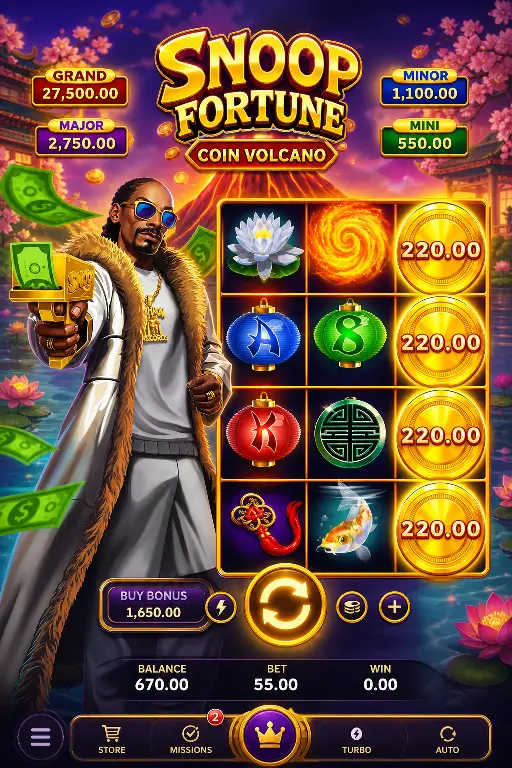












Your Complete Mobile Gateway to LuckyTiger: Premium Gaming Without the Wait for an Official App
LuckyTiger brings world-class online casino entertainment directly to your mobile device—right now, without waiting for an official native app. While we're working on dedicated apps for the App Store and Google Play, there's no need to compromise on convenience or features. The fully optimised web version at lucky-tiger.store delivers a seamless, app-like experience that puts all your favourite slots, table games, and live casino sessions just one tap away. This guide shows you exactly how to unlock that premium mobile experience today.
What Is a Web App Shortcut, and Why It's Better Than You'd Think
A web app shortcut is a clever, modern solution that bridges the gap between mobile websites and traditional native apps. When you add LuckyTiger to your home screen, you're creating a direct portal to the casino that behaves and feels exactly like a downloaded app. Launch it, and the browser interface vanishes—you see only the game, your account, and the features you love. It's fast, responsive, and designed specifically for touchscreen play. Unlike a bookmark, a home-screen shortcut gives you a dedicated icon, a custom splash screen on launch, and full-screen immersion. The best part? This approach is used by leading gaming and financial platforms worldwide because it combines the flexibility of the web with the polish of native software.
Why Install LuckyTiger as a Home-Screen Shortcut Today
- One-Tap Access to Your Account: No hunting through browsers or typing URLs. Tap your LuckyTiger icon, and you're straight into your account, with session memory so you never miss a beat.
- True App Experience on Your Terms: Full-screen gaming interface, custom icon, and smooth transitions—all the polish of a native app without the App Store wait or device storage burden.
- Zero Installation Overhead: No large downloads, no storage conflicts, and no automatic updates eating your data plan. Play the latest version instantly whenever you open it.
- Complete Feature Parity: Every game, payment method, bonus, account history, and support tool available on desktop works seamlessly on your mobile shortcut.
- Future-Proof Security: When the official LuckyTiger app eventually launches, your account data, winnings, and preferences migrate instantly—you lose nothing and gain extra options.
Exclusive Mobile Bonuses Waiting for You at LuckyTiger
Mobile players at LuckyTiger enjoy tailored promotions that reward your commitment to playing on the go:
- Mobile Welcome Bonus: New players receive a 100% deposit match up to 500 credits on their first deposit, valid on all mobile-compatible slots and table games. Minimum deposit of 20 credits applies.
- Weekly Mobile Free Spins: Every Monday, eligible players automatically receive 25 free spins on a rotating selection of premium slots. No wagering requirement on winnings up to 100 credits; standard 35x playthrough on amounts above.
- Mobile Cashback Leaderboard: Compete against other mobile players each week for a share of the cashback pool. Top 10 finishers earn 2–10% cashback on net losses, credited directly to your account by Friday.
How to Install LuckyTiger on Your Home Screen
For iPhone and iPad (Safari)
- Open Safari and navigate to lucky-tiger.store.
- Log in to your account (or create one if you're new).
- Tap the Share button at the bottom centre of the screen (the square with an upward arrow).
- Scroll down and tap Add to Home Screen.
- Confirm the name (we recommend leaving it as "LuckyTiger" for easy recognition) and tap Add in the top right.
- Your LuckyTiger icon now appears on your home screen. Tap it anytime to launch the casino in full-screen mode.
For Android Devices (Chrome)
- Open Chrome and go to lucky-tiger.store.
- Log in to your account (or register for a new one).
- Tap the three vertical dots menu in the top right corner.
- Select Add to Home Screen.
- Edit the shortcut name if desired ("LuckyTiger" works perfectly) and tap Add.
- The icon installs instantly on your home screen. One tap launches the full-screen casino experience.
Mobile Gaming on Phones vs. Tablets: Optimised for Your Device
Smartphones are your pocket casino. The LuckyTiger mobile interface is engineered for thumb-friendly navigation, quick-tap betting, and on-the-go sessions. Whether you're waiting for a train, relaxing at home, or taking a coffee break, your phone delivers fast, engaging gameplay with crystal-clear slot reels and responsive touch controls. Portrait and landscape orientations adapt instantly to your preferred angle.
Tablets transform your gaming into an immersive experience. The larger screen showcases live dealer feeds in stunning detail, makes table games like blackjack and roulette feel more like the real thing, and gives your fingers more room to manoeuvre during complex multi-bet sessions. Many players switch between devices depending on their mood—quick phone spins during the day, longer tablet sessions in the evening for live casino action.
Your Fast, Safe, Smart Path to Premium Mobile Gaming
Installing LuckyTiger as a home-screen shortcut isn't a workaround—it's the modern way to play. You get app-like speed and convenience, full access to every game and feature, real-money play with secure encryption, and complete peace of mind knowing your account transitions seamlessly if and when an official native app arrives. No waiting lists, no compatibility surprises, no storage limits. Visit lucky-tiger.store, log in, and create your shortcut today. In under a minute, you'll have a premium mobile casino at your fingertips, ready to deliver slots, tables, live dealers, and daily bonuses whenever and wherever you choose to play.